The problem: new staff ask the same questions every time
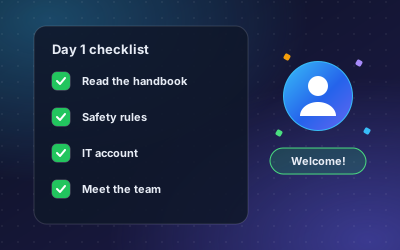
Every new hire has questions. Where is the handbook? What do I need on day one? How do I submit expenses? Which safety rules apply on site? The answers usually exist in a handbook, a policy folder or an onboarding checklist. New people just do not know where to look.
So they ask a colleague. The colleague stops work, searches, and answers the same question they answered for the last new hire. Some people do not ask at all and guess instead, which is worse when the question is about safety or pay.
A wiki helps only if people read it. A chatbot helps because people already ask questions; it just gives them a better place to ask.
How DoclyChat handles it
- Answers from your own HR documents. Connect the handbook, policies, checklists and forms. New staff ask in plain language and get the answer with the document cited.
- Where people already work. Put the chat widget on your intranet, so it is the first thing a new hire sees.
- HR add-on. The HR add-on searches only HR-tagged documents such as handbooks, policies and contracts. That keeps HR answers focused and separate from the rest of the archive.
- Permissions. General policies can be open to all staff, while contracts and personal files stay limited to HR.
- English and German. Staff can ask in either language.
- Kept in sync. When HR updates the handbook in the source folder, answers follow the new version.
A worked example
A new technician starts on Monday. On Friday he has a few questions.
Question: What does a new hire need on day one?
Answer: A laptop, a badge and a 30-minute intro with the team lead. Contract and bank details are due 3 days before the start.
Source: Onboarding checklist
Question: Where do I find the gas boiler safety manuals?
Answer: 3 documents were found. The 2025 safety manual is the most recent.
Source: Technical archive, Safety
He gets the answer in seconds and can open the source to read the full rule. His team lead does not need to stop work, and the answer is the same one the next new hire will get.
How to set it up
- Collect the documents a new hire needs: handbook, onboarding checklist, policies, safety rules, expense and leave forms.
- Remove outdated versions, or move them to an archive folder you do not connect.
- Create a free account and connect the folder, or upload the files.
- Set permissions: general policies for all staff, contracts and personal files for HR only.
- Add the HR add-on if you want HR questions answered from HR-tagged documents only.
- Ask the twenty questions new hires asked last time. Check each answer against its source.
- Put the chat widget on your intranet and mention it in the welcome email.
Who it suits
- Companies that hire regularly and want onboarding to be the same for everyone.
- Teams with safety rules or site procedures that new staff must find quickly.
- HR teams that want fewer repeated questions. See how it fits HR and human capital teams.
What to watch out for
- The chatbot is only as good as the handbook. If the handbook is unclear, the answer will be too. New hires' questions are a good way to find gaps.
- Keep personal data separate. Contracts, salaries and leave records belong in folders with restricted access.
- It answers; it does not approve. The chatbot can explain how to request leave. The request itself still goes through your normal process.
- Review what people ask. Conversations show which questions come up most, so you can improve the documents behind them.
Questions new staff ask most
A good test set for an onboarding chatbot is the list of questions your last new hires asked. Typical ones are:
- Where is the employee handbook, and which version is current?
- What do I need to submit before my first day?
- How do I request leave or submit an expense?
- Which safety rules apply on site, and where are the manuals?
If the chatbot answers these well, it covers most of the first week. Plans and add-ons are listed on the pricing page.
Next step
Start with the onboarding checklist and the handbook. Those two files answer most first-week questions. For the general approach, read how to build a company knowledge base chatbot, then start free with your own documents.