The problem: questions come in when nobody is there
Shoppers have questions before they buy. Does this fit a 2-inch pipe? Is the cover machine-washable? Which size do I need? Many of these questions come in the evening or at the weekend, when nobody is there to answer.
When there is no answer, the shopper either sends an email and waits, or leaves. Your team then answers the same question by email the next morning, even though the answer was already on the product page.
A generic chatbot does not solve this. It may answer from general knowledge instead of your catalog and give a size or material your product does not have.
How DoclyChat handles it
- Answers from your product pages. DoclyChat syncs your products, including title, description, price, variants, images and collections, plus your shop pages and blog articles.
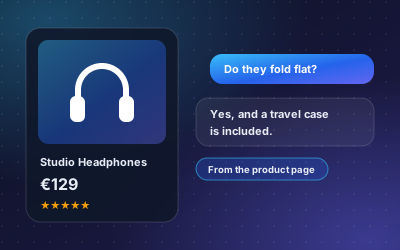
- Source shown. Answers point to the product page they came from, and can link straight to it.
- Available at any hour. The chat widget sits on your storefront and answers around the clock.
- Shopify app. Install it, choose what to sync and switch the chat on in your theme editor.
- WordPress and WooCommerce. The DoclyChat WordPress plugin adds a floating chat bubble and links your site's public posts and pages to the chatbot when you connect it.
- English and German. Shoppers can ask in either language.
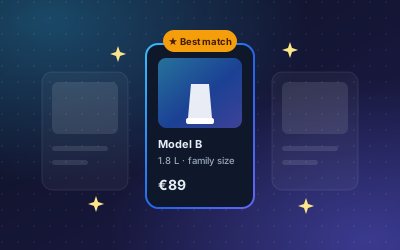
- Follow-up questions. Answers can suggest the next question, which helps shoppers who are not sure what to ask.
For details on connecting a store, read how to connect Shopify or WooCommerce to an AI chatbot.
A worked example
A shopper is looking at a fitting late on a Sunday evening.
Question: Does the Blue Widget fit a 2-inch pipe?
Answer: Yes. According to the specification on the product page, the Blue Widget fits 2-inch pipes.
Source: Product page, Blue Widget
The answer comes from the shop's own text, and the shopper can open the page to read the full specification. If the product page did not mention pipe sizes, the right fix is to add it there, which also helps every shopper who reads the page.
How to set it up
- Create a free account. No credit card is needed.
- For Shopify: install the DoclyChat app from your Shopify admin and choose what to sync. For WooCommerce: install the DoclyChat WordPress plugin and click Connect to DoclyChat.
- Wait for the first sync. In Shopify, the app shows the synced products under Knowledge base at a glance.
- Switch the chat widget on. In Shopify this happens in the theme editor; in WordPress you choose the color, corner, welcome message and which pages show the widget.
- Ask the ten questions your support inbox gets most often and check the answers.
- Fill gaps on the product pages where an answer was missing or vague.
Who it suits
- Shops with technical products, where fit and compatibility questions are common.
- Fashion and home shops with many size and material questions.
- Small teams that cannot staff a live chat in the evening. See how it fits e-commerce and retail.
What to watch out for
- Answers follow your product text. If a product description is thin, the answer will be thin. Good product pages matter more than ever.
- The Free plan has a sync limit. With a Shopify shop, the Free plan syncs up to 25 products, pages and articles. Paid plans sync the full catalog. See the pricing page.
- Read-only access. The Shopify app only reads products and content. It cannot change your catalog or see orders.
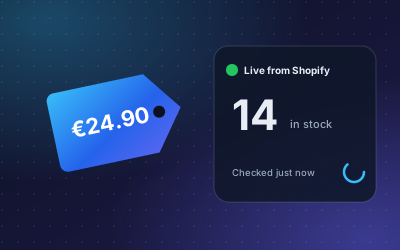
- Prices and stock change. For live price and stock, see live price and stock.
Questions it handles well
- Fit and compatibility: "Does this fit a 2-inch pipe?" or "Which charger works with this model?"
- Size and material: "Is this cover cotton?" or "How long is the size M?"
- Use and care: "Can I put it in the dishwasher?"
- Variants: "Is this jacket also available in navy?"
All of these work best when the answer is written somewhere on the product page or in the variant data.
Next step
Install the app, sync a small part of your catalog and ask the questions your customers ask. You will see within minutes which product pages answer well and which need more detail. Start free.