The problem: the numbers exist, but nobody can find them quickly
Invoices, quotes, balance sheets and profit and loss statements are full of answers. What did we charge for that job? How did revenue change from last year? Which cost line grew the most? The information is there, spread across PDFs, exports and folders by year.
Getting an answer usually means asking the bookkeeper or the accountant, who then opens three files to find one number. Managers wait, and the finance team spends time on lookups instead of work.
A generic AI chatbot does not help much here. It may give a confident number that is not in any of your documents. In finance, an invented figure is worse than no answer.
How DoclyChat handles it
- Answers from your own documents. Invoices, quotes, statements and receivables lists are indexed like any other file. Answers name the document and page they came from.
- Structured extraction with the Financial Data add-on. DoclyChat extracts line items from invoices, balance sheets and profit and loss statements, so it can work with the figures, not just the text.
- Cross-period comparison. Ask how a figure changed between two years or periods, and get both values and the change, with the statements cited.
- Tables in answers. When the question is about invoice lines or several figures, the answer can come back as a table.
- Trade-specific estimates. With the Heizungsbauer add-on, heating and plumbing companies can get a statistical cost estimate for a new job based on their historical invoices.
- Ask from your AI tool. Through the MCP connector, ChatGPT or Claude can list your financial statements and their line items directly.
A worked example
The owner of a small company prepares for a bank meeting and wants two numbers without waiting for the accountant.
Question: How did our revenue change from 2023 to 2024?
Answer: Revenue rose from €1.21m to €1.38m, an increase of about 14 %.
Source: Annual_Statement_2024.pdf, p. 5
Then a question about open work:
Question: Which invoices for the heating job in Durach are still open?
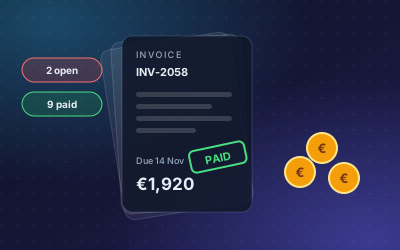
Answer: Two invoices are open: INV-2051 (€1,860.00, due 5 Nov) and INV-2058 (€640.00, due 19 Nov). The rest is paid.
Source: Invoices, Durach heating job
Both answers come from documents the company already keeps. The second only works if the open items list or receivables export is part of the connected files, which is a good reason to include it.
How to set it up
- Create a free account and connect the folder with your invoices and statements, or upload them by hand.
- Add the Financial Data add-on if you want structured extraction and comparisons across periods.
- Upload at least two periods of statements, for example the last two annual statements, so comparisons have something to compare.
- Restrict the finance folders to the people who should see them. Per-folder permissions handle this.
- Ask the questions your managers ask most often, and check each answer against the cited document.
- Connect your AI tool through MCP if your team already works in ChatGPT or Claude.
Who it suits
- Small and mid-sized companies where the owner or managers need figures without a finance lookup each time.
- Trade companies that want to see costs and invoices per job.
- Firms that handle finance documents for clients, such as accounting and bookkeeping firms. There is more on this in AI chatbots for accounting firms.
What to watch out for
- It reads your documents; it is not your accounting system. DoclyChat answers from the files you connect. If a payment was booked but the export was not updated, the answer reflects the export.
- Keep exports current. Questions about open invoices need an up-to-date open items list.
- Check before you act. For tax filings and bank meetings, open the cited source and confirm the figure. That is what the citation is for.
- Financial statement analysis depends on the plan. See the pricing page for details.
Questions finance teams hand over first
- What did we invoice this customer last quarter, and which invoices are still open?
- How did revenue, material costs and wages change compared with last year?
- What did we quote for a job, and was the quote accepted?
Next step
Upload your last two annual statements and ask how the main figures changed. If the answers match what your accountant would say, add your invoices next. Start free, no credit card needed.